

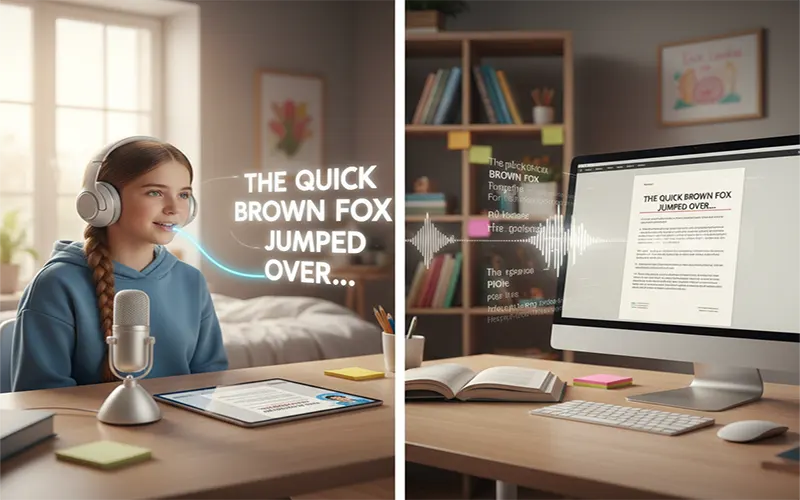
For students with dyslexia, the traditional writing process is often an exercise in frustration. The mental energy required to manage the mechanics—spelling, grammar, and syntax—frequently exhausts the “working memory,” leaving little room for the high-level critical thinking and creativity that these students often possess in abundance.
In 2026, AI Speech-to-Text (STT) has evolved from simple dictation into a sophisticated “cognitive bypass.” It allows students to move their ideas from mind to screen without the friction of the keyboard. This guide outlines how to leverage these tools to build a seamless, neuro-inclusive academic workflow.
1. The 2026 AI Landscape: From Dictation to Context
We have moved past “Dictation 1.0,” where students had to bark commands like “New Paragraph” or “Period.” Modern Context-Aware AI 2.0 tools understand natural speech patterns and automatically handle formatting.
- Universal Integration: Tools like Wispr Flow and Willow now work across every application on a device (Mac, Windows, iOS). You can dictate a complex lab report in Word, then immediately switch to Slack for a group project discussion using the same voice engine.
- Filler Word Removal: AI now automatically strips out “ums,” “uhs,” and “likes,” producing a polished first draft that is far easier to read back than a raw transcript.
- Personalized Dictionaries: These tools learn your unique vocabulary—names of professors, specific scientific terms, or niche acronyms—ensuring that the spelling is 100% accurate every time.
2. A 3-Step Academic Workflow
Using STT effectively requires a shift in how you approach an assignment. Instead of trying to “write” perfectly, focus on the “Brain Dump” method.
Step 1: The “Brain Dump” (Ideation Phase)
Don’t worry about structure yet. Using a tool like Voicenotes.ai or Wispr, simply “talk your paper.” Describe your argument, mention your evidence, and explain your conclusion as if you were talking to a friend.
Why it works: This captures your natural verbal brilliance without the “spelling wall” stopping your train of thought.
Step 2: The AI Refinement (Cleaning Phase)
Once you have your raw transcript, use an AI rewriter like Goblin.tools or Notion AI. You can highlight your dictated text and give a command like: “Organize this into an academic essay format with formal tone.” > Why it works: It handles the organizational “heavy lifting” that can be overwhelming for dyslexic learners.
Step 3: The Multimodal Proof (Review Phase)
Never rely on your eyes alone to proofread. Use Text-to-Speech (TTS) to listen to your AI-generated text. Tools like NaturalReader or Speechify let you hear if the AI misinterpreted your voice or if a sentence sounds awkward.
Why it works: Dyslexic students often have superior auditory processing; you will “hear” an error that you might “miss” with your eyes.
3. Lecture Capture: Listening with Your Eyes
One of the most stressful parts of university is trying to take notes while a professor is speaking. In 2026, tools like Otter.ai and Sensory Scribe have revolutionized this.
- Real-time Transcripts: As the professor speaks, the text appears on your laptop or tablet instantly.
- Voice-Flags: You can tap a button (or use a voice command) to “flag” a moment as important. Later, you don’t have to re-read the whole lecture; you just jump to your flags.
- AI Summaries: After the lecture, these tools provide a 5-bullet summary of the key points, which is a life-saver for study sessions.
Top AI Tools of 2026 for Dyslexia
| Tool Category | Top 2026 Choice | Key Benefit for Dyslexia |
| Direct Dictation | Wispr Flow / Willow | Works in all apps; near-100% accuracy with technical terms. |
| Lecture Capture | Otter.ai | Real-time captions; allows you to “flag” key moments by voice. |
| Mobile Notes | Voicenotes.ai | Captures “thinking out loud” on the go; generates structured summaries. |
| Writing Companion | Goblin.tools | The “Formalizer” tool turns messy dictation into professional prose. |
4. Common Voice Commands Cheat Sheet
Modern AI handles most of this, but knowing these “power commands” helps you stay in the flow:
- “Fix that”: Automatically corrects the last few words based on context.
- “Formalize this”: Changes the tone from casual to academic.
- “Bullet points”: Starts a list without you needing to find the button.
- “Check spelling”: Scans the entire document for any AI-transcription errors.
5. Overcoming Barriers: Pro-Tips
- Manage “Voice Fatigue”: Don’t try to dictate for 3 hours straight. Break your writing into 20-minute “voice sprints.”
- The Hardware Matters: Use a dedicated external microphone or high-quality earbuds (like AirPods) to ensure the AI gets a clean signal, especially in noisy libraries.
- Privacy First: Use tools that offer “Local Processing” (like Willow) if you are working on sensitive research or personal journals.
From Limitation to Advantage
In an AI-native professional world, being able to articulate ideas clearly through speech is a superpower. For students with dyslexia, STT tools are not just “accommodations”—they are tools for independence. By offloading the mechanical burden of writing to AI, you can finally show the world the true depth of your intellect.